
Food ERP integrations: Xero, Shopify, Mintsoft and UK retailer EDI
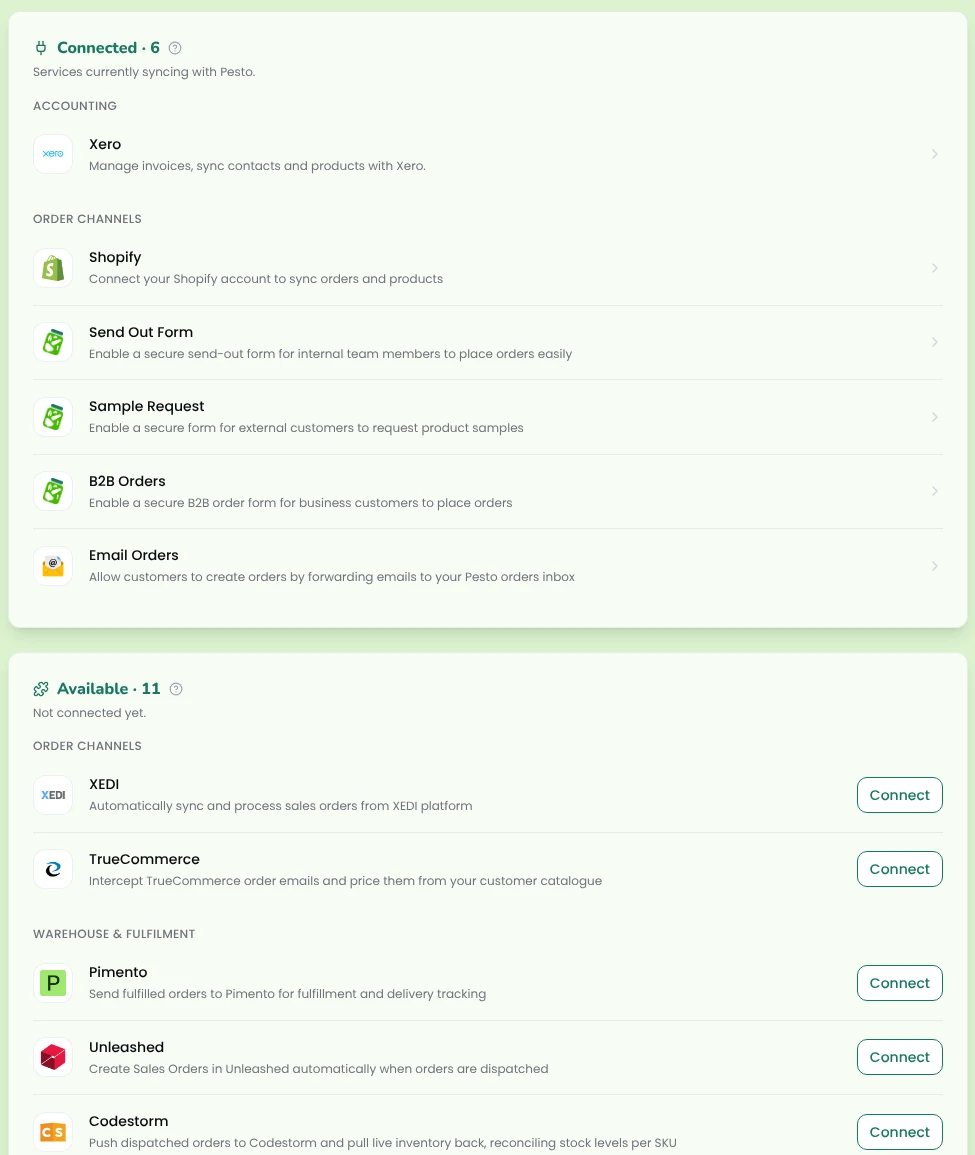
Pesto connects to the systems a challenger food and drink brand already runs. It sends invoices and supplier POs to Xero, takes orders from Shopify and from UK retailers through your EDI system (e.g. TrueCommerce, Supply Lens, XEDI), routes orders to your 3PL's system (e.g. Mintsoft, Pimento, Hive), and mirrors 3PL stock back in. If we don't already have the integration you need, we'll build it within a couple of weeks.
Which systems does Pesto integrate with?
Accounting

Xero.
Pesto raises invoices from what you dispatched, syncs their status back, sends supplier POs and drafts supplier bills for production costs. → Xero integration


Sage and QuickBooks.
Pesto connects to either the same way it connects to Xero: invoices from what you dispatched, with contact, item code, account and tax rate mapped, and statuses synced back.
Order channels

Shopify.
The Pesto Shopify app brings in orders and suggests product mappings by barcode, then SKU. → Shopify integration
Email forwarding.
Forward order emails, by hand or with an auto-forward rule, and Pesto reads the body and every attachment.
Upload and paste.
Drop in up to 10 PDF, Excel, CSV, TXT, JPG or PNG files, or paste an email thread, and Pesto turns each one into an order.
B2B ordering portal.
A branded, passcode-protected shop where each buyer sees their own catalogue and prices.
Send-out form and sample portal.
Samples, marketing drops and influencer parcels, checked against live stock.
Retailer EDI
Pesto takes EDI orders from Ocado, Sainsbury's, Booths and other UK retailers through your EDI hub, so you don't need a connector per retailer.

TrueCommerce.
EDI orders that arrive through TrueCommerce land in Pesto's review queue like any other order.

Supply Lens.
EDI orders that arrive through Supply Lens land in Pesto's review queue like any other order.

XEDI.
EDI orders that arrive through XEDI land in Pesto's review queue like any other order.
If your EDI hub isn't listed, we'll build it within a couple of weeks.
3PL and WMS

Mintsoft.
Pesto routes orders to Mintsoft and mirrors Mintsoft stock levels back in.

Pimento.
Pesto routes orders to Pimento and resyncs stock with it.

Hive.
Pesto routes orders to Hive.

Codestorm.
Pesto mirrors Codestorm stock levels in.
Routing rules decide where each order goes, by order source, customer type, customer or product. If an export fails, Pesto flags it and you resend from the same screen.
Carrier
APC Overnight.
Pesto sends dispatches to APC Overnight as your carrier.
Documents
Delivery notes.
Pesto generates them as PDF or CSV, with the batch code and use-by on every line, in formats including E2B.
3PL uploads.
One consolidated CSV for any 3PL that takes file uploads.
Supplier POs.
Send them through Xero or as a branded PDF.
Stock-in paperwork.
Upload a delivery note, spreadsheet, PDF or photo and Pesto's AI pre-fills the lots for you to check.
Custom and API
API keys.
Generate keys in your Pesto settings to build custom integrations, for example with Zapier.
AI clients

Claude and ChatGPT.
Connect Pesto's MCP server as a custom connector, log in with your Pesto account and query your live orders, invoices, sales and customers in plain English. It reads and queries your data; it doesn't change it. → MCP & agentic access
Other MCP-compatible clients.
Supported in principle, not yet verified.
That's a lot of logos. The point is simpler: nobody on your team should retype an order, an invoice or a stock count from one system into another.

How do the integrations fit together?
An order arrives from Shopify, an EDI hub, an email or a PDF. Pesto matches the customer, depot and products, checks the price and pre-selects the batch. You approve it. Pesto sends it to the right 3PL with the delivery note, and when you dispatch, Pesto raises the Xero invoice from the quantity that actually left.
Stock flows back the other way: Mintsoft and Codestorm levels mirror into Pesto. → Order management · → Inventory
Don't see your system?
Step 1
Use an API key
Pesto issues API keys for custom integrations, so a tool like Zapier or your own developer can connect to your Pesto data.
Step 2
Ask us
Tell us what you run and what you need it to do. We'll tell you straight whether Pesto connects to it today.
Step 3
If we don't have it, we'll build it
Most new integrations take a couple of weeks.
Order management
Invoicing & collections
Brands that buy finished goods
Frequently asked questions
What does Pesto integrate with?
Your accounting software (e.g. Xero, Sage, QuickBooks), Shopify, your EDI system (e.g. TrueCommerce, Supply Lens, XEDI), your 3PL and warehouse system (e.g. Mintsoft, Pimento, Hive, Codestorm), APC Overnight as carrier, and Claude or ChatGPT through Pesto's MCP server. API keys cover custom integrations.
Does Pesto integrate with Ocado?
Yes, through EDI. Ocado orders arrive through your EDI system (e.g. TrueCommerce, Supply Lens, XEDI). There's no separate Ocado connector, and you don't need one.
Does Pesto work with Sage or QuickBooks?
Yes. Pesto integrates with Xero, QuickBooks and Sage. Tell us which one you run and we connect it during onboarding.
Does Pesto replace my 3PL's system?
No. Pesto sends orders to your 3PL and mirrors their stock back in, so your warehouse team keeps working in their own system.
Can Claude or ChatGPT change data in Pesto?
No. Pesto's MCP server reads and queries your live data. It doesn't create or edit records.
See Pesto running on your own orders.
Bring a real PO, your messiest one. We'll show you what Pesto does with it in 30 minutes.
Book a demo